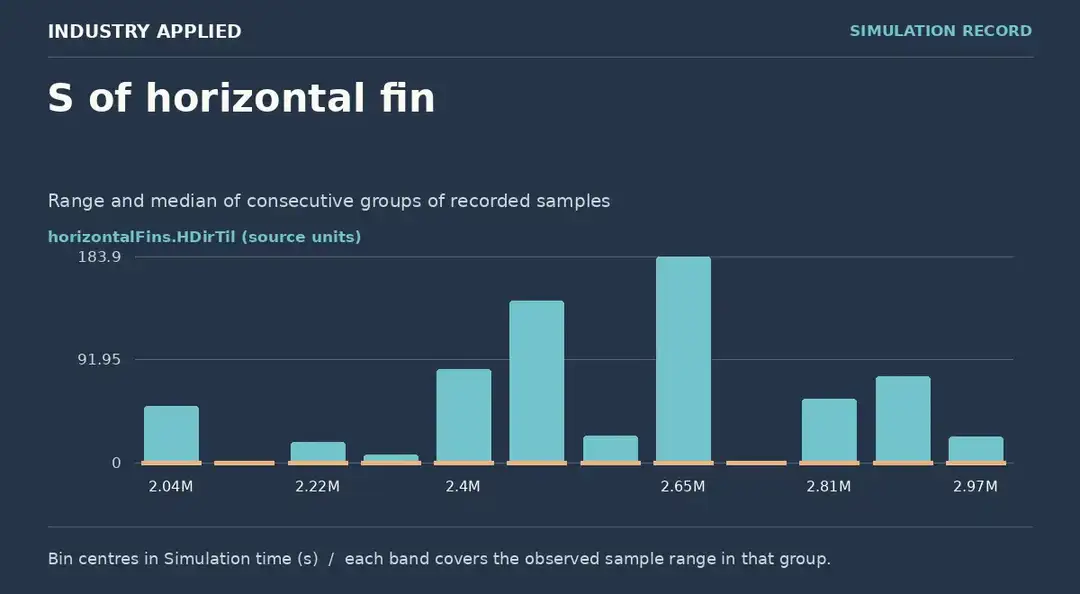
The horizontalFins.HDirTil trace ranges from 0 to 183.898 across 101 saved checkpoints. It begins at 0 and finishes at 2.7887 after 1,000,000 s of test time. The reference export does not state a verified engineering unit for this value. Use its native scale when comparing another run of the same model.
The system being tested
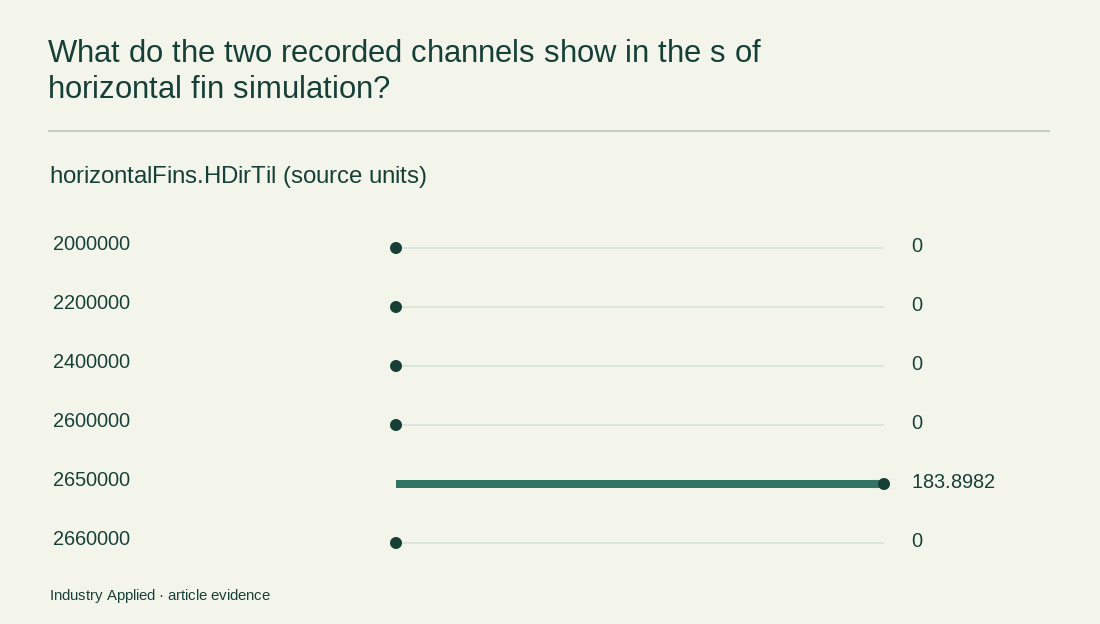
The largest change in horizontalFins.HDirTil between saved samples lies between simulation times 2,650,000 s and 2,660,000 s. The channel moves from 183.898 to 0 across that interval. A finer export is needed to resolve what happens between those observations.
The component declarations name hWin (Constant), wWin (Constant), horizontalFins (Horizontal Fins), horizontalFinsBeta (Horizontal Fins). These identifiers can be found in the linked model definition. Check how they connect to the plotted quantity before comparing it with a field meter or a differently named controller tag.
Compare the recorded channels
The article compares a direct irradiance channel with its shaded counterpart. Match them at the same instant and orientation. A ratio can express the fraction transmitted by the shading configuration when the reference irradiance is appreciably above zero. At night that ratio becomes undefined or uninformative.
Reproduce the calculation
The largest absolute change between consecutive stored points appears from 2,650,000 to 2,660,000 seconds. Subtracting 183.898 from 0 gives -183.898 source units. Its location brackets the change within one saved interval of 10,000 seconds. It does not identify an unobserved instantaneous peak or the exact crossing time.
The worked table retains the first and last points, the primary maximum and minimum, the largest adjacent change and a spread of checkpoints across the run. Rounding is for presentation. Use the full linked reference series to repeat integrals or compare events between checkpoints. The archived sampling interval need not match the simulation solver’s internal step.
Worked data
Simulation time (s) | horizontalFins.HDirTil (source units) | horizontalFins.HShaDirTil (source units) |
|---|---|---|
2000000 | 0 | 0 |
2200000 | 0 | 0 |
2400000 | 0 | 0 |
2600000 | 0 | 0 |
2650000 | 183.8982 | 93.14624 |
2660000 | 0 | 0 |
2800000 | 0 | 0 |
3000000 | 2.788668 | 1.581846 |
What to check on site
Keep the occupied schedule, weather boundary and zone definition with the result. A change in a simulated room condition can reflect the boundary assumptions as well as the component under study. Compare occupied periods and maintain the same observation location.
State the operating duty, measurement location and expected tolerance before evaluating a local trend. Re-run the comparison with the installed controls and instruments during a representative operating period. Retain the native units and the raw export so that a later change in software or presentation can be investigated.
Checking the two recorded channels
At 2,660,000 s, horizontalFins.HDirTil reads 0 and horizontalFins.HShaDirTil reads 0. Across the run, the second channel ranges from 0 to 93.146. Compare the timing of changes on the two traces. A numerical difference between these channels has no demonstrated physical meaning without matching quantity definitions and units.
Data and source model
Published model and component definitions. Numerical reference series. Simulation and plot commands. Download the worked checkpoints in CSV format.