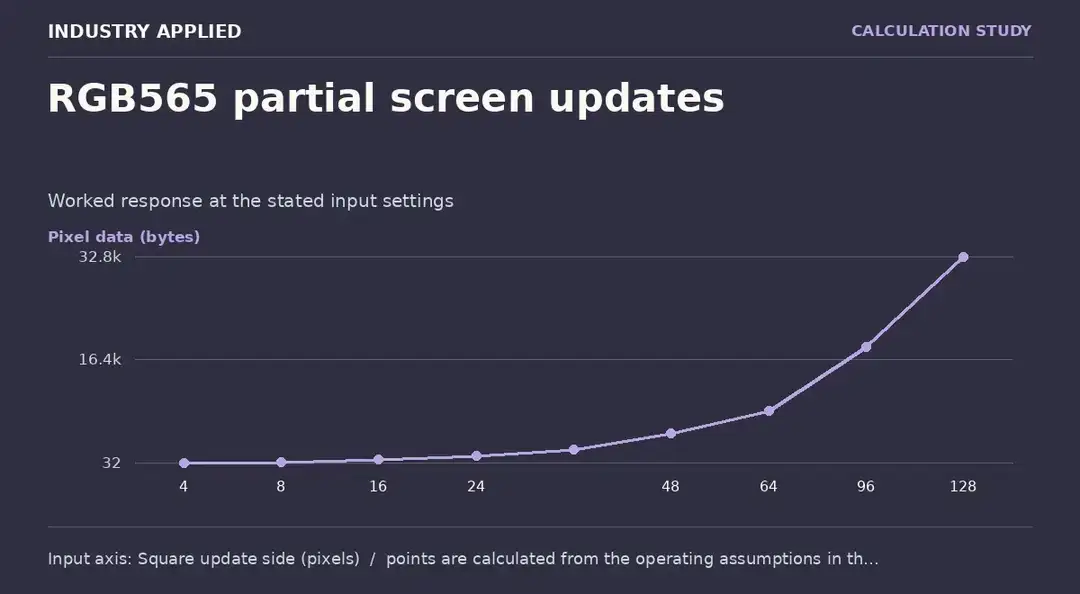
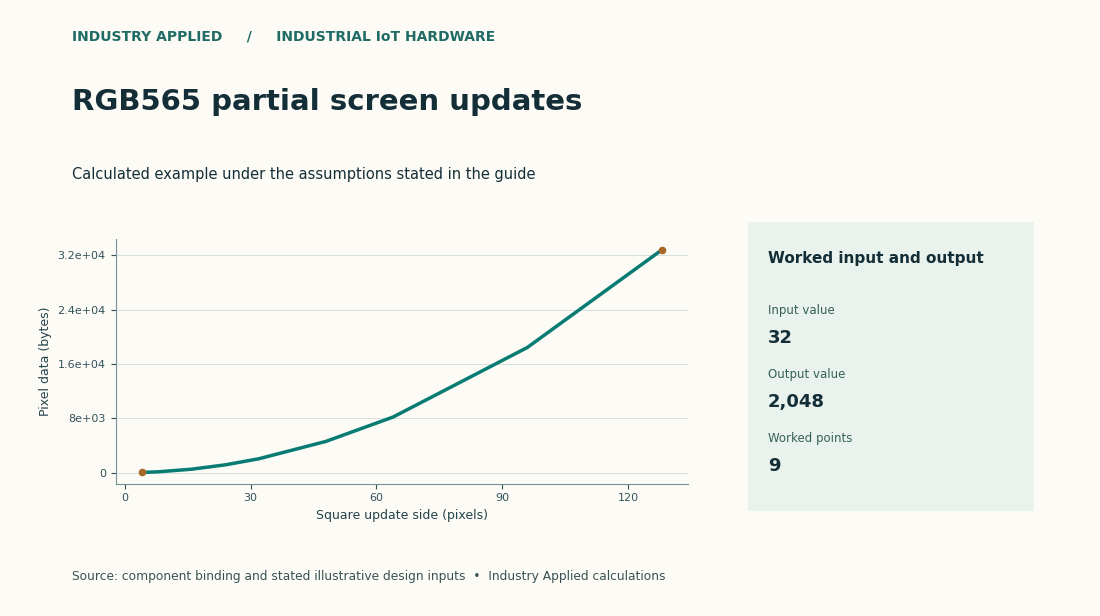
RGB565 carries five red bits, six green bits and five blue bits per pixel. That makes two bytes per changed pixel. For a square update multiply the side length by itself and then by two. This example assumes a panel that supports the stated update area. With square update side (pixels) at 32, the worked result is 2,048 on the pixel data (bytes) scale.
The recorded quantity and the calculated result
Keep three columns in a commissioning export: the original square update side (pixels), the configuration used in the conversion and the resulting pixel data (bytes). Recompute the result for the lower, middle and upper worked points before interpreting a field difference. A change in range, units or representation can otherwise be mistaken for a change in the process.
Two points to check independently
Take the neighbouring worked points 24 and 32 on the input axis. The results are 1,152 and 2,048, giving a signed difference of 896. The table preserves the calculated values before display rounding. These are calculated examples under the stated assumptions. They are not readings from a ProSense installation.
Worked data
Square update side (pixels) | Pixel data (bytes) |
|---|---|
4 | 32 |
8 | 128 |
16 | 512 |
24 | 1152 |
32 | 2048 |
48 | 4608 |
64 | 8192 |
96 | 18432 |
128 | 32768 |
Checking the ends of the working range
The final interval in this example runs from 32 to 128 on the square update side (pixels) axis. Its average change in pixel data (bytes) per input unit is 320. This is a two-point slope for that interval. To check a spreadsheet or a gateway calculation, enter 128 in a separate test row and compare its result against 32,768 at the displayed precision.
Installation and interpretation
Repainting a small alarm glyph and repainting the entire dashboard place different demands on a shared interface. Include address-window commands and any pixel-format conversion time when comparing measured updates.
For a repeatable verification, capture a small known case and a second case well away from it. Check whether the difference follows the response in the table, then restore the working configuration and repeat one reading. Store a separate status field for missing or invalid input. Substituting zero would make a dropped observation indistinguishable from a legitimate numerical zero.
Implementation and worked data
The source implementation is maintained in the .NET IoT device project. The component notes and manufacturer references document the supported device and its interfaces. Download the worked numerical example.