
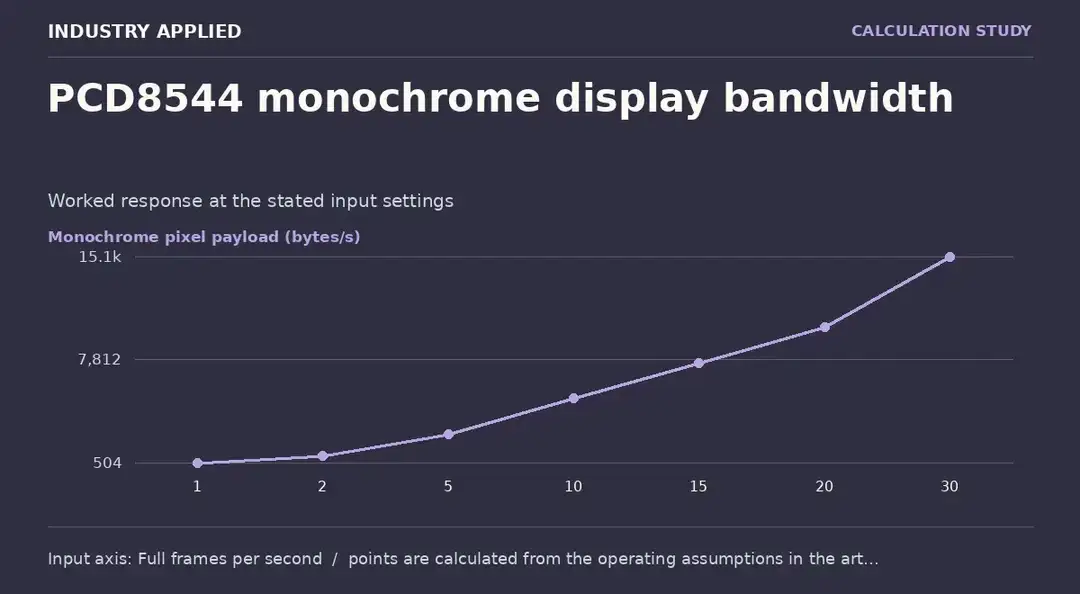
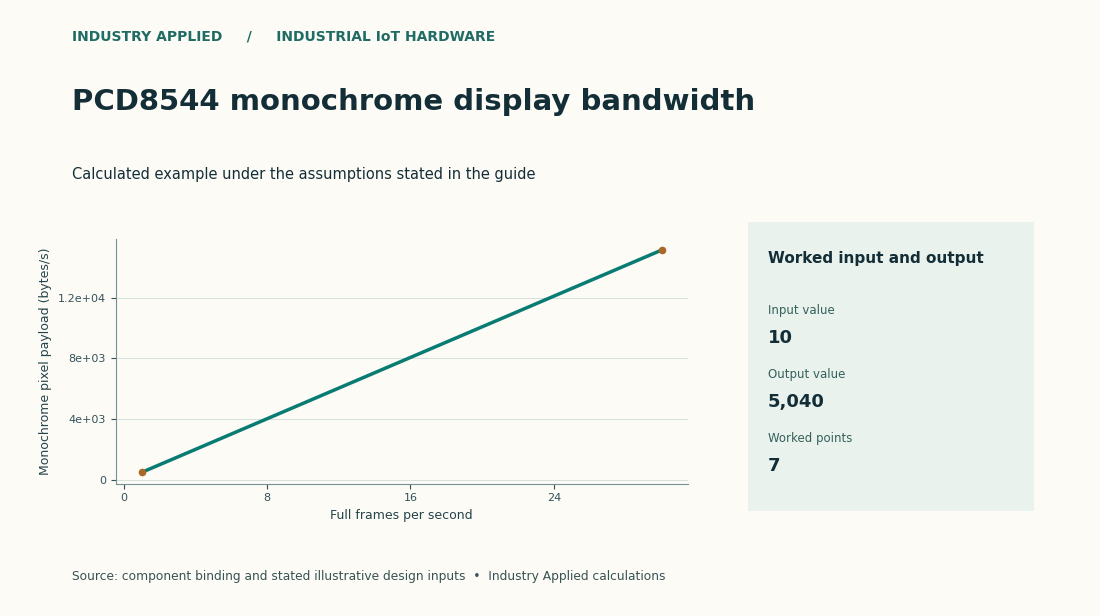
The native display geometry is 84 by 48 pixels in a one-bit frame. Multiply pixel count by one bit, divide by eight for bytes, then multiply by the requested frame rate. Cursor setup and other interface traffic are excluded. In the worked example, Full frames per second 10 gives monochrome pixel payload of 5,040 bytes/s.
The recorded quantity and the calculated result
Keep three columns in a commissioning export: the original full frames per second, the configuration used in the conversion and the resulting monochrome pixel payload (bytes/s). Recompute the result for the lower, middle and upper worked points before interpreting a field difference. A change in range, units or representation can otherwise be mistaken for a change in the process.
Two points to check independently
At 5 the calculated monochrome pixel payload is 2,520 bytes/s. At 10 it is 5,040 bytes/s. Subtracting the first output from the second gives 2,520 bytes/s. These values give two independent checkpoints for a spreadsheet or a logger conversion.
Worked data
Full frames per second | Monochrome pixel payload (bytes/s) |
|---|---|
1 | 504 |
2 | 1008 |
5 | 2520 |
10 | 5040 |
15 | 7560 |
20 | 10080 |
30 | 15120 |
Checking the ends of the working range
The interval from the middle to the upper test point runs from 10 to 30 on the full frames per second axis. Its average change in monochrome pixel payload (bytes/s) per input unit is 504. This is a two-point slope for that interval. To check a spreadsheet or a gateway calculation, enter 30 in a separate test row and compare its result against 15,120 at the displayed precision.
Installation and interpretation
An industrial readout that changes one number may update less than a full frame. Keep the framebuffer size, redraw area and physical bus throughput separate before treating a slow interface as a sensor latency problem.
For a repeatable verification, capture a small known case and a second case well away from it. Check whether the difference follows the response in the table, then restore the working configuration and repeat one reading. Store a separate status field for missing or invalid input. Substituting zero would make a dropped observation indistinguishable from a legitimate numerical zero.
Implementation and worked data
The source implementation is maintained in the .NET IoT device project. The component notes and manufacturer references document the supported device and its interfaces. Download the worked numerical example.